Your passwords, on every device. Free to install.
One vault on your Mac, phone and browser, locked with your master password. Your plan covers every app, on as many devices as you like.
Free on the Mac App Store · macOS 14 or later
 Chrome
 Edge
 Firefox
Phone and tablet apps
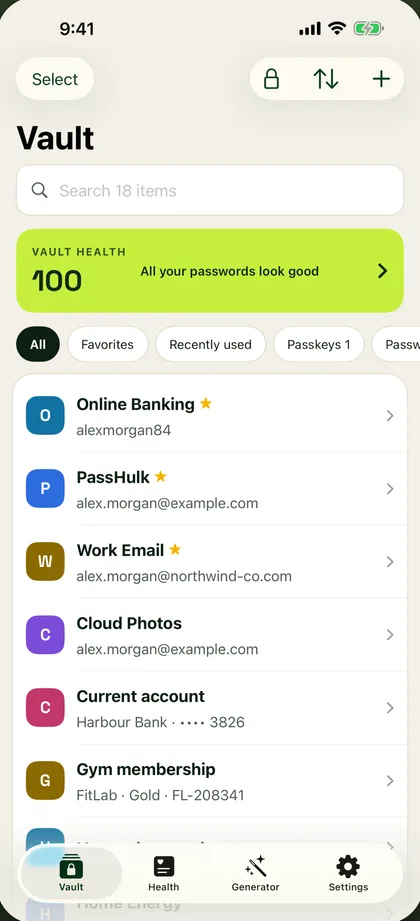
Unlock with your face or fingerprint. Fill in any app.
Your vault in your pocket, with a locked copy kept on the device so it opens even without internet.
PassHulk for iPhone
For iOS 17 and later, on iPhone and iPad.
- Face ID or Touch ID unlock
- AutoFill in Safari and your apps
- Live 2FA codes and a password generator
- Saves and uses passkeys
- Locks by itself when you’re away
- Family folder, shared logins and attached files

PassHulk for Android
For Android 10 and later.
- Fingerprint or face unlock
- Autofill in Chrome and your apps
- Vault health and leak check
- Saves and uses passkeys
- Add and edit every item type
- Saves new logins and fills cards and addresses

On a computer? Scan to get the phone app.
Point your phone’s camera at the code. It opens PassHulk in the App Store on an iPhone or iPad, and in Google Play on Android.
Mac app
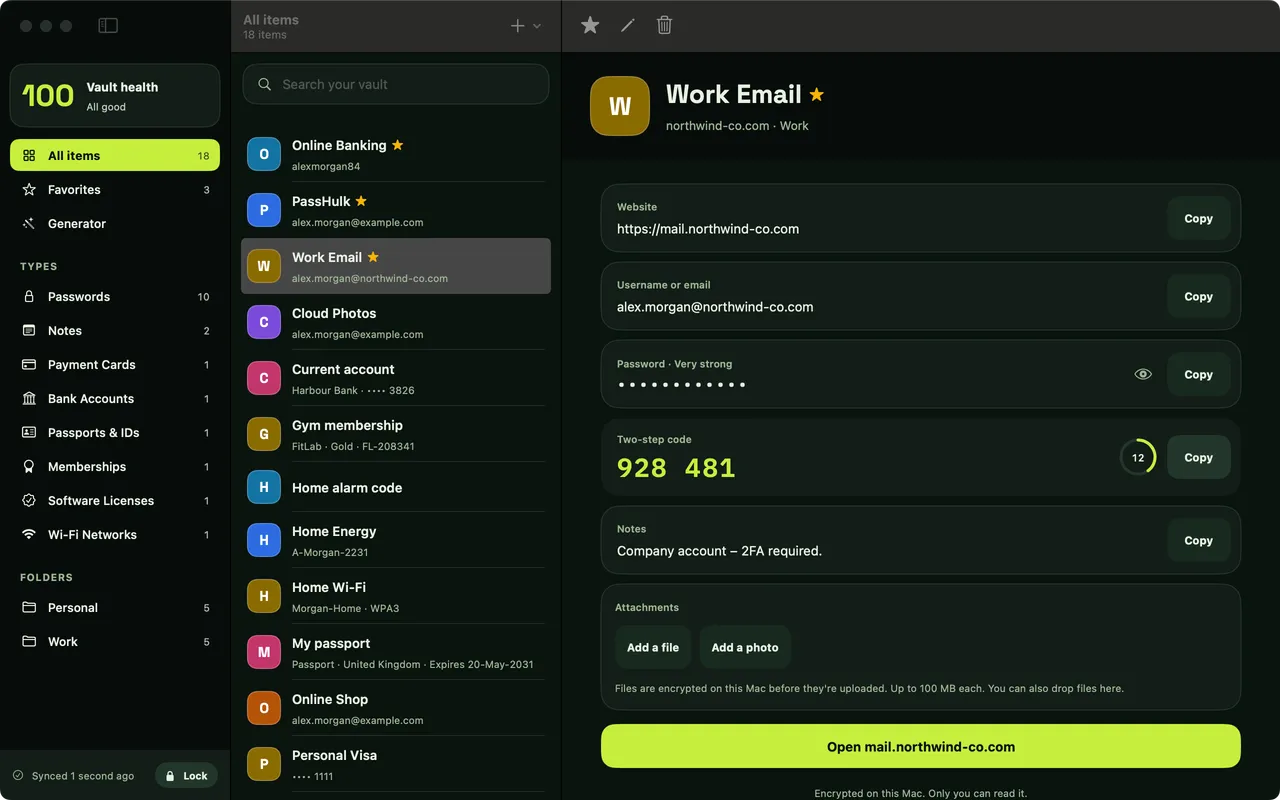
Touch ID on your Mac. AutoFill in Safari and your apps.
A real Mac app with the same vault, kept locked on your Mac so it opens even without internet.
PassHulk for Mac
For macOS 14 Sonoma and later, on Apple silicon and Intel Macs.
- Touch ID or master password unlock
- AutoFill passwords, 2FA codes and passkeys in Safari and other Mac apps
- Quick search from the menu bar
- Family folder, shared logins and attached files
- Bring your passwords and passkeys over from Apple Passwords (macOS 26 and later)
Browser extensions
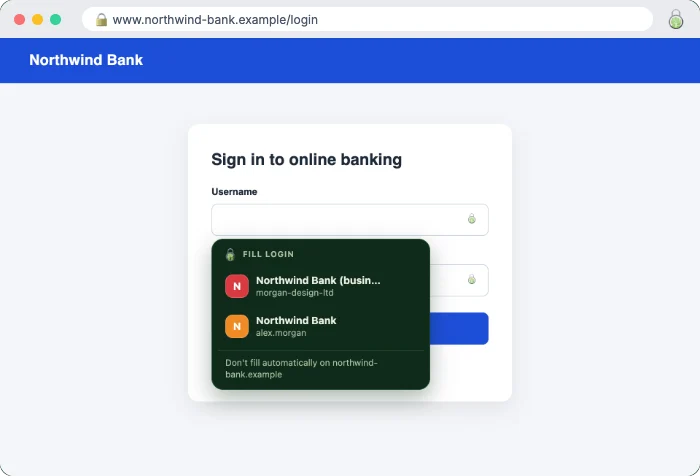
Sign in to any website in one click.
The PassHulk extension fills your logins, saves new ones as you go and makes strong passwords right where you need them.
Chrome
Chrome Web Store
For Google Chrome on Windows, Mac, Linux and Chromebook.
Add to ChromeMicrosoft Edge
Edge Add-ons
For Microsoft Edge on Windows and Mac.
Add to EdgeFirefox
Firefox Add-ons
For Firefox 140 and later on Windows, Mac and Linux.
Add to FirefoxSafe on every device
The same lock on every device.
Whichever app you use, your vault is protected the same way.
Locked on your device
Your vault is locked with a key made from your master password before anything leaves your device.
We only store locked data
Our servers never see your master password or your passwords, so we couldn’t read them even if we wanted to.
Face and fingerprint stay on the device
Face ID, Touch ID and fingerprint unlock use your device’s own secure storage. That key never leaves the device.
Locks by itself
Every app locks when you step away, and you choose how soon.
No install needed
Or use the web vault on any computer.
Open your vault in any modern browser, on any computer. It’s the same vault as in your apps, locked the same way.
Getting started
Three steps, then it’s everywhere.
Create your account
Start a 15-day free trial or choose a plan on our website. You make your master password there.
Install the apps
Add the extension to your browser and get the app on your phone or Mac. They’re free to install.
Sign in on each
Use your email and master password. Your vault appears, and changes show up on all your devices.
Moving from another password manager?
Export your passwords from your browser or your old password manager, and import the file in PassHulk. It takes a few minutes.
How importing works →On the Family plan?
Everyone installs the apps on their own devices and signs in with their own master password. Each person gets a private vault, plus the shared Family folder.
About the Family plan →Questions about the apps
Good to know.
Do the apps cost extra?
No. The apps and browser extensions are free to install. Your PassHulk plan covers all of them, on as many devices as you like.
Can I sign up in the app?
Create your account on our website first, with a free trial or a plan. Then sign in to the apps with the same email and master password.
Can PassHulk see my passwords when they sync?
No. Your vault is locked on your device before it leaves, with a key made from your master password. Our servers only ever store locked data.
Do the apps work without internet?
Yes, for looking things up and filling. The iPhone, Mac and Android apps keep a locked copy of your vault on the device. Saving changes needs a connection.
Which browsers are supported?
Chrome, Microsoft Edge and Firefox on computers. On any other browser, use the web vault.
One vault. Every device.
Try PassHulk free for 15 days. No card needed, and nothing is charged when it ends.